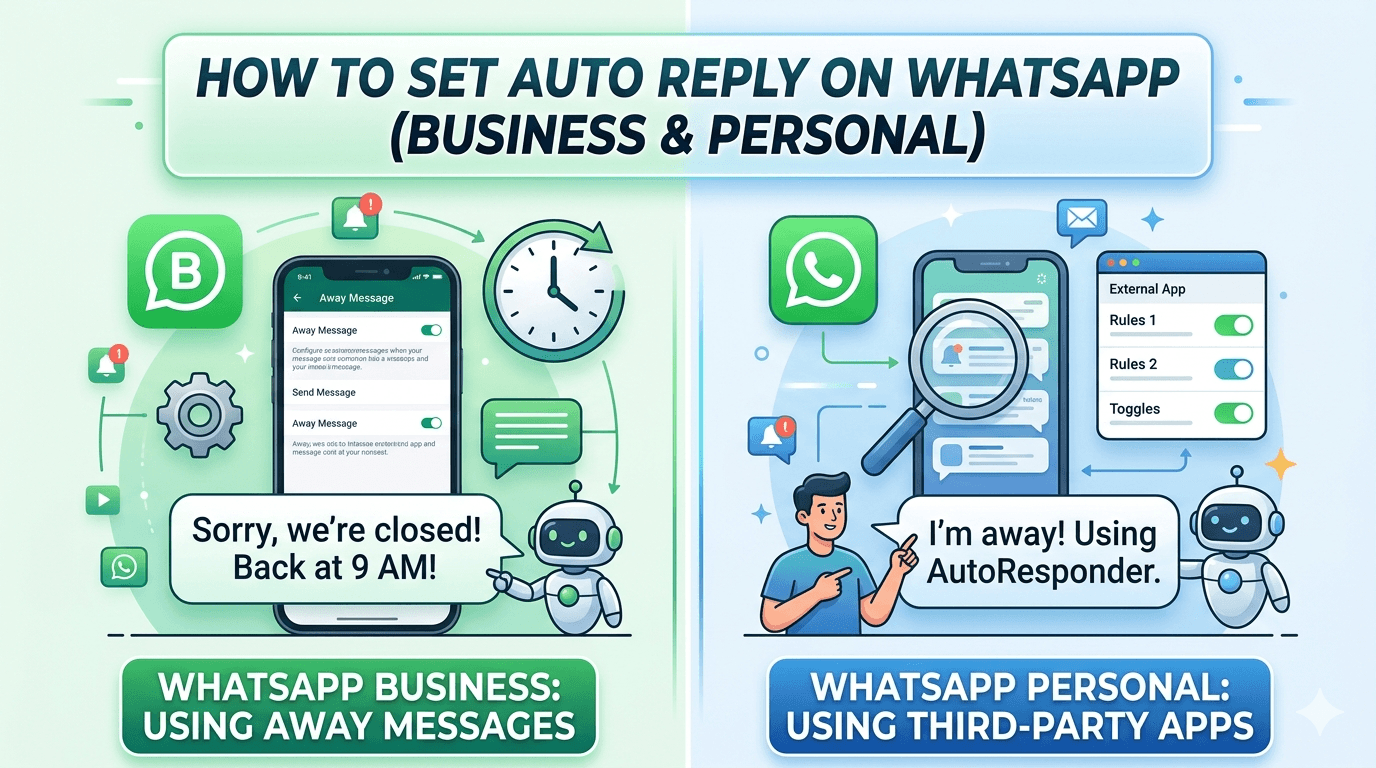
Learn how to set auto reply on WhatsApp for both personal and business accounts. This guide explains the easiest methods, step-by-step setup, common problems, and how businesses use automation to respond instantly.
Introduction
Auto replies on WhatsApp help you respond to messages automatically when you’re busy, offline, or handling a high number of chats.
Many users want auto replies for situations like:
Responding to customers outside working hours
Letting people know you're unavailable
Sending instant greetings to new contacts
Handling large numbers of messages
However, setting auto replies depends on whether you're using:
Personal WhatsApp
WhatsApp Business
The steps are different for each. This guide explains both methods so you can choose the one that works best for you.
Quick Summary
Here’s the fastest way to understand WhatsApp auto replies:
Personal WhatsApp does not include built-in auto reply
WhatsApp Business offers Away Messages and Greeting Messages
Auto replies can be scheduled based on business hours
Businesses often use automation platforms for advanced workflows
If you’re running a business account, setting up auto replies takes only a few minutes.
What Is WhatsApp Auto Reply?
An auto reply is a pre-written message sent automatically when someone contacts you.
Common examples include:
“Thanks for contacting us. We’ll reply shortly.”
“Our support team is currently offline.”
“We received your message and will respond soon.”
Auto replies help in three important ways:
Respond instantly to every message
Set expectations for response time
Improve customer experience
For businesses receiving many messages every day, auto replies are essential.
How to Set Auto Reply on WhatsApp Business
If you are using WhatsApp Business, auto replies can be set up using the Away Message or Greeting Message features.
These tools are built into the app.
Method 1: Set an Away Message
Away messages automatically respond when you're unavailable.
Steps to Enable Away Message
Open WhatsApp Business
Tap the three dots menu
Go to Business Tools
Tap Away Message
Turn on Send Away Message
Write your automatic reply
Set your schedule
Choose who receives the message
Example message:
“Thank you for contacting us. Our team is currently offline but will respond during business hours.”
Method 2: Set a Greeting Message
Greeting messages are sent when a customer contacts you for the first time or after inactivity.
Steps to Enable Greeting Message
Open WhatsApp Business
Tap Business Tools
Select Greeting Message
Turn on Send Greeting Message
Write your message
Choose your audience
Example greeting message:
“Hello! Thanks for reaching out. How can we help you today?”
This ensures every new customer gets an immediate response.
Can You Set Auto Reply on Personal WhatsApp?
The standard version of WhatsApp does not provide built-in auto replies.
However, there are a few workarounds.
Option 1: Use WhatsApp Business Instead
The easiest solution is switching to WhatsApp Business.
Benefits include:
Auto replies
Business profile
Quick replies
Labels for contacts
The app works similarly to regular WhatsApp but includes tools for businesses.
Option 2: Use Automation Tools
Some third-party platforms allow users to create advanced auto replies.
These tools can:
send instant responses
trigger replies based on keywords
route chats to different agents
manage large customer conversations
Businesses often use these solutions when handling hundreds or thousands of chats daily.
Examples of Effective WhatsApp Auto Replies
A good auto reply should be short, helpful, and clear.
Here are a few examples.
General Response
“Hi! Thanks for messaging us. Our team will respond shortly.”
After Hours Response
“Thanks for contacting us. Our support hours are 9 AM – 6 PM. We’ll reply when we reopen.”
Lead Collection
“Thanks for reaching out! Please share your name and requirement so our team can assist you better.”
Customer Support
“We received your message. A support agent will respond soon.”
Scheduling Auto Replies
Auto replies can also be scheduled.
This allows messages to be sent:
outside working hours
during holidays
when your team is offline
Scheduling ensures customers always receive an immediate response even when no one is available.
Common Problems with WhatsApp Auto Replies
Sometimes auto replies do not work as expected.
Here are the most common issues and how to fix them.
Auto Reply Not Sending
Possible reasons include:
Away message is not enabled
Incorrect schedule settings
Internet connection problems
Fix: Check your Away Message settings and make sure they are active.
Greeting Message Not Triggering
This may happen when:
The contact has already messaged you recently
Greeting messages are limited to new conversations
Fix: Test with a new contact number.
Auto Reply Sent Only Once
WhatsApp may send greeting messages only once per contact after long inactivity.
This prevents message spam.
WhatsApp Auto Replies for Businesses
For small businesses, built-in auto replies work well.
However, as customer conversations grow, limitations appear.
Common challenges include:
Handling many conversations at once
Managing multiple support agents
Tracking customer interactions
Running marketing campaigns
Businesses that scale often move to automation platforms that support advanced messaging features.
These systems allow companies to:
automate customer support
manage team inboxes
send campaigns
analyze customer engagement
Automation helps businesses respond faster and improve customer experience.
Best Practices for WhatsApp Auto Replies
Follow these tips to make your auto replies more effective.
Keep Messages Short
Customers prefer quick responses.
Be Clear About Response Time
Tell users when they will receive a reply.
Avoid Spam
Do not send too many automatic messages.
Personalize When Possible
Include your company name or greeting.
Test Your Setup
Always test auto replies with another phone.
Frequently Asked Questions
Can I set auto reply on regular WhatsApp?
No, the standard version of WhatsApp does not support built-in auto replies. You need WhatsApp Business or an automation tool.
Are WhatsApp auto replies free?
Yes. Auto replies are free inside WhatsApp Business.
However, advanced automation platforms may require paid plans.
Can I schedule WhatsApp auto replies?
Yes. WhatsApp Business allows you to schedule Away Messages during specific hours.
Can I send different auto replies to different customers?
Basic auto replies are the same for everyone.
Advanced automation tools allow customized responses based on keywords or user behavior.
Final Thoughts
Setting up auto replies on WhatsApp is one of the easiest ways to improve communication and respond instantly to incoming messages.
For individuals, auto replies help manage conversations when you're busy or unavailable.
For businesses, they ensure every customer receives an immediate response—even outside working hours.
If your business handles a growing number of WhatsApp conversations, automation tools can take this even further by helping you manage chats, respond faster, and scale customer communication.